When you click on links to various merchants on this site and make a purchase, this can result in this site earning a commission. Affiliate programs and affiliations include, but are not limited to, the eBay Partner Network.
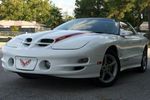
The Monsoon system was available in F-body coupes between 1997 and 2002 and in convertibles between 1999 and 2002. The option codes for Firebird coupes were W54 (cassette) and W55 (CD). Firebird convertibles had option code X20 for either type of head unit. For Camaros, the Monsoon option code was UZ7 in coupes and U59 in convertibles.
An easy way to tell if your car has (or had originally) a Monsoon system is to look at the hatch trim panels. Monsoon systems have speakers on both sides of the hatch area but base audio systems do not. If you have speaker grilles in the hatch area side trim panels (above the spare tire on the right and the storage cubby hole on the left) then your car was originally equipped with a Monsoon system. Unfortunately, there is no equivalent way to determine if you have a Monsoon system in a convertible - you'll have to check the door label.
The Monsoon system consists of a head unit (radio with single CD player or cassette player), an external amplifier, and either eight or ten speakers (depending on vehicle model). There was also an optional external CD changer available that mounts in the cubby space on the left side of the t-top storage well in a coupe or the left rear of the trunk in a convertible. All Monsoon equipped F-bodies were pre-wired for the CD changer even if one wasn't installed. You'll find the changer harness taped to the hatch speaker harness under the trim on the left side. Even though the changer was made by Pioneer, it was made to GM specs and is not compatible with any aftermarket head unit (including those made by Pioneer).
The head unit is nothing special - it's just an ordinary 1.5 DIN Delco radio with a Monsoon label on it. In fact, some of the early Monsoon systems didn't even have the label on the head unit. Camaro HUs are black with black controls and blue/white illumination. Firebird HUs are dark gray with gray controls and red illumination. Both types are basically the same and are physically interchangeable although they had some different features - Camaros came with speed compensated volume whereas Firebirds have a graphic equalizer. Both are capable of using a power antenna but only the Firebirds came with one. None of the factory head units had MP3 capability, line-level (RCA) output, or auxiliary input other than for the factory CD changer (although there are adapters available).
The amp is a small eight-channel unit mounted on a bracket on the right quarter inner fenderwell (hatch area of a coupe, trunk of a convertible). It powers a mix of 2-ohm and 4-ohm speakers. The 97 and some early 98 models came with a 200 watt amp that was physically smaller than later models. The rest of 98 through 99 came with an amp that was rated at 200-watts RMS. For 2000 and later models, GM changed their advertising to rate the very same amp at 500-watts. Some say this is a peak rating while others just consider it an ILS (If Lightning Strikes) rating. GM also claimed an RMS rating of 240-watts for this amp but the original 200-watt rating given to the amp is probably more accurate. In any case, there is no point in trying to upgrade a 98 or 99 to the "more powerful" 500-watt amp of later years - it's exactly the same amp.
The speakers vary greatly between models. Firebird coupes have ten speaker elements mounted in six locations, Camaro coupes have eight speaker elements mounted in six locations, and convertibles of both lines have eight speaker elements mounted in four locations. The eight channel amp powers all speaker elements in the Camaro coupe and all convertibles. It powers all speakers except the tweeters in Firebird coupes.
Firebird coupes have component 6.5S (6.5" oversize) 2-ohm mids and .75" 4-ohm tweeters mounted separately in the doors, dual voice coil 6.5S (4-ohm + 4-ohm) subs mounted in the sail panels (beside the rear seat), and component 4" 4-ohm mids and .75" 4-ohm tweeters mounted separately in the hatch area. The two door mids and two hatch mids account for four of the eight channels of the amp while the DVC subs account for two channels each to make up the other four channels. This leaves the front and rear tweeters to be powered directly by the head unit.
Camaro coupes have component 6.5S 2-ohm mids and .75" 4-ohm tweeters mounted coaxially in the doors (they look like ordinary coax speakers but are actually wired as separate components), single voice coil 6.5S 2-ohm subs in the sail panels, and 4" 4-ohm full-range speakers in the hatch area. All eight elements are powered by the amp.
Convertibles have component 6.5S 2-ohm mids and .75" 4-ohm tweeters mounted coaxially in the doors. The schematics show 6.5S 2-ohm woofers and .75" 4-ohm tweeters mounted coaxially in the quarter panels beside the rear seats but inspection of the actual speakers has discovered both the woofers and tweeters are actually 4-ohm. All eight elements are powered by the amp.
Last edited by WhiteBird00; 07-16-2014 at 03:11 PM.
The primary ways to upgrade a Monsoon system without completely replacing it are to replace the head unit, replace the factory speakers and/or add a sub, and adding an auxiliary input such as an iPod or other MP3 player or satellite radio.
Replacing the head unit
Contrary to what some stereo shops will try to tell you, it is easy to replace the Monsoon head unit. Since it is just an ordinary Delco radio, replacement is the same as for any GM product. There are three different sizes of head units that can be made to fit a Camaro or Firebird dash. HU sizes are expressed as DIN. The factory HU in Camaros and Firebirds is 1.5 DIN (the face is approximately 3" tall).
The most common size is single DIN (the face is approximately 2" tall). This is the size that was used in most cars since the 1950s. You will need a mounting kit to fit an aftermarket single DIN head unit in the 1.5 DIN opening. The mounting kit consists of brackets and a faceplate to fill up the dash opening. The Metra part number for these single DIN kits are:
99-3009 Camaro 93-96, Firebird 93-02
99-3300 Camaro 97-02
99-4000 Camaro and Firebird with CD pocket
Most recent model vehicles have double DIN stereos (the face is approximately 4" tall). Double DIN head units can be installed in 4th generation Camaros and Firebirds but they require a custom trim bezel with the larger opening to fit the head unit face. Custom bezels are available commercially, can be made by modifying the existing factory bezel, or can be created from scratch. An example of a double DIN installation with a bezel made from scratch is in this thread: Pioneer AVIC-D3 Installed.
You should get a wiring harness adapter kit so that you can connect your aftermarket HU without having to cut the factory wiring harness. The Metra part number for the wiring harness adapter is 70-1858. The adapter harness has a plug that matches the factory radio harness and a number of unfinished wires in industry standard colors. You simply connect the unfinished wires to the matching wires from your aftermarket head unit (i.e. red to red, orange to orange, etc.) then the whole assembly just plugs into the factory wiring harness. Even if a previous owner has butchered the factory harness by cutting off the plug and splicing wires, you can repair it and use a harness adapter. Metra part 71-1858 is a replacement plug and wires for the factory radio harness (71-1858 connects to the factory wiring and 70-1858 connects to the aftermarket radio wiring and then the two adapters plug together).
Finally, you will need an antenna adapter to fit the small GM antenna plug into the standard Motorola antenna port on your new HU. With these parts it is a simple matter to install your new HU and connect it to the factory wiring. Depending on the head unit you install, you should notice an improvement in sound over stock because of the reduced distortion. The difference won't be dramatic but it will be noticeable and you will be able to use higher volume levels than the stock setup without the sound becoming horribly distorted.
Steering wheel controls
Replacing the factory HU doesn't necessarily mean losing the use of your steering wheel controls. PAC (Pacific Accessories Corp.) makes a series of adapters that allow you to use the steering wheel controls with popular models of aftermarket radios. There are models designed to work with specific brands and a universal model that will work with most radios that have infrared remote controls. The "universal" adapter is the SWI-X which works with most head units that come with an infrared remote. The notable exceptions are JVC models and certain older Sony models. Check the PAC website for details.
A newer alternative is the Axxess ASWC interface from Metra that vastly simplifies programming. Once connected, all you have to do is turn on the ignition and hold the Volume Up button on the steering wheel until the module's LED stops flashing, let go of the button and wait another few seconds for it to finish programming itself. The ASWC will work with all 4th generation F-bodies that have steering wheel controls and will connect to any aftermarket head unit that has wired remote capability (the HU box will have a note specifying if it is compatible). Almost all current aftermarket head units have this feature but some older models don't.
Replacing the speakers
Replacing the factory speakers is mostly a matter of finding suitable speakers that fit and sound the way you like. Much has been said about the different impedance levels of the factory speakers and most aftermarket speakers but this is not a critical factor. Replacing factory 2-ohm speakers with aftermarket 4-ohm ones would normally cause a loss of volume because of cutting the output power in half. Cutting the power in half does not result in half the volume... it results in a 3dB drop in volume which is noticeable but not a huge difference. That assumes that the speakers have the same sensitivity (efficiency). If the replacement speaker is at least 3dB more sensitive than the original speaker then there will be no loss of volume. The factory speakers are notoriously inefficient so almost any decent aftermarket replacement, regardless of rated impedance, is going to sound better.
However, there are some things to watch out for when shopping for replacement speakers - the sail panel subs get only low-filtered signal from the amp so putting coaxial speakers there will require some rewiring if you want to get anything but bass. This is usually done by disconnecting the hatch speakers and pulling those wires forward to the sail panels. Also, the door speakers are wired as components so you either have to buy component replacements or get coaxial speakers that can be modified to separate the wiring of the tweeters from the mids.
A popular solution for the sail panel subs is the Bazooka 6.5" dual voice coil sub. There are several options for the doors (especially in Firebirds) but the CDT coaxial components are possibly the best match for Camaro doors since they have the tweeter mounted in the center of the mid component like the factory speakers.
Adding a subwoofer
Adding a sub to the factory system is relatively easy. The most common method is to add an amp and mount a stealth box with a 10" sub in the cubby space on the left of the t-top storage area. You will need a line-level adapter that is available for just a few bucks from any stereo shop. It will convert the speaker-level output of the head unit to the pre-amp (line-level) input needed by most amps (you can also buy some amps with speaker-level inputs). A common place to mount the amp out of sight is with a mounting board at the back of the car below the hatch lock.
Adding an auxiliary input for satellite radio, MP3 player, or iPod
Adding an auxiliary input to the factory system involves using an adapter that only works on certain models. Auxiliary adapters that plug into the CD changer port on the back of the head unit will only work with head units that are capable of controlling the optional CD changer. Even though all models had the CD changer port not all models could control a changer - the port was also used for an external cassette player that was offered in some GM models but never in F-bodies. All cassette head units were capable of controlling the factory changer. Only late '99 and newer models of single CD head units had this ability. There is no easy way to tell an early '99 from a late '99 without opening the head unit so you're best to go with 2000 or newer.
In summary: 97-02 Cassette head units support CD changer and auxiliary adapters 00-02 CD head units support CD changer and auxiliary adapters Some 99 CD head units support CD changer and auxiliary adapters
If you really want to take your 99 CD head unit apart to see if it supports a changer, look for the markings on the CD player circuit board. Code E-8276-1 does not support a changer, code E-8276A-1 does support a changer. Changer isn't supported
Changer is supported
Auxiliary input adapters are made by PIE (Peripheral Interface Electronics), PAC (Pacific Accessories Corp.) and USA Spec. The PAC adapters require a factory changer to work even though you can't use the changer after installing the adapter, so one of the other two products are probably a better choice. The PIE adapter is model GM9-AUX but it has been discontinued and may be difficult to find. PIE and USA Spec also make iPod-specific adapters that allow you to control the iPod from the head unit or steering wheel controls as well as recharge the iPod battery. The USA Spec adapter includes standard RCA jacks in addition to the Apple-specific connections so you can connect almost any device as auxiliary input.
Finally, you can modify the internal wiring of your head unit to create your own auxiliary input jack that will work regardless of whether your head unit supports a CD changer or not. Instructions for doing this are listed in this thread: How you can add an aux input/mp3 player without an adapter.
Last edited by WhiteBird00; 08-14-2020 at 03:40 PM.
Reason: Upload replacement pictures.
There are three connectors on the back of the radio. The two 10-pin connectors are clipped together and plugged into the same socket on the back of the radio so that they look like a single 20-pin connector.
C1 is the black 10-pin connector and the pins are number 1-10. C2 is the black 9-pin connector for the CD changer and the pins are numbered 7-15. C3 is the white 10-pin connector and the pins are numbered 11-20. All these connectors are numbered from right to left when looking at the connector with the locking tabs on top and the wires coming out the back.
C1 - Black 10-pin connector
1 - GRAY - left front speaker negative
2 - TAN - left front speaker positive
3 - DARK GREEN - right front speaker negative
4 - LIGHT GREEN - right front speaker positive
5 - BLACK - ground
6 - BROWN - parking light input (lets the radio know when headlights are on so it will dim the display)
7 - GRAY - dash light dimmer input (controls brightness of radio control illumination)
8 - PINK - (Firebird) power antenna output
9 - YELLOW - ignition controlled power
10 - ORANGE - battery power (for radio memory)
C3 - White 10-pin connector
11 - GRAY - (Convertible) amplifier sensor
12 - not used
13 - not used
14 - DARK BLUE - steering wheel controls input
15 - not used
16 - DARK GREEN w/WHITE - (Camaro) vehicle speed sensor input for automatic volume
17 - LIGHT BLUE - right rear speaker negative
18 - DARK BLUE - right rear speaker positive
19 - YELLOW - left rear speaker negative
20 - BROWN - left rear speaker positive
C2 - Black 9-pin connector for CD changer
7 - not used
8 - not used
9 - Bare - drain wire
10 - DARK GREEN w/WHITE - right audio signal
11 - BROWN w/WHITE - left audio signal
12 - BLACK w/WHITE - audio return
13 - BLACK - ground
14 - DARK GREEN - power
15 - not used
Universal Aftermarket Wiring Harness Wire Colors
RED - Ignition switched power
YELLOW - Constant (battery) power
BLACK - Ground
ORANGE - Variable power from dimmer switch for display illumination (very few head units have this wire as they usually determine display brightness through a menu setting or have just standard bright and dim settings)
ORANGE w/WHITE - On/off power from lighting system to determine when headlights are on
BROWN - Mute wire for external devices (very few external devices still use this wire - it was designed to mute the head unit for incoming phone calls, something they do automatically now)
BLUE - Power antenna control wire
BLUE w/WHITE - Remote amplifier turn-on signal wire (used by the vast majority of aftermarket amps but not required for the Monsoon amp which uses signal sensing to turn on)
LIGHT GREEN - Parking brake switch wire (used to prevent activation of certain functions such as video display unless the parking brake has been applied)
PURPLE w/WHITE - Backup lights sensor wire (used to turn on a backup camera display if equipped)
WHITE - Left front speaker positive
WHITE w/BLACK - Left front speaker negative
GRAY - Right front speaker positive
GRAY w/BLACK - Right front speaker negative
GREEN - Left rear speaker positive
GREEN w/BLACK - Left rear speaker negative
PURPLE - Right rear speaker positive
PURPLE w/BLACK - Right rear speaker negative
Kenwood units also have a LIGHT BLUE w/YELLOW wire for steering wheel remote controls. Most other brands have a 1/8" jack similar to a headphone jack.
The standards for aftermarket head unit wiring have two colors designated for display illumination... orange and orange with white. Orange is used to connect to the factory dash dimmer circuit for those head units that dim in sync with the rest of the dash. Orange/white is used to connect to the parking/running light circuit as a simple on/off indicator of when the lights are on. Head units then have a dim setting and a bright setting for their display that they switch between depending on whether the vehicle's lights are on or off. The vast majority of aftermarket head units use the orange/white wire for simplicity. If you have only one of the two wires, connect it to the corresponding color wire and leave the other one disconnected.
Last edited by WhiteBird00; 08-14-2020 at 03:43 PM.
Reason: Upload replacement pictures.
Cassette Errors
E10 : Tight tape error
Cause: A restricted cassette tape transport or broken cassette drive belt
Correction: Substitute a different cassette tape. If there still is an error code, service the unit at an ACDelco® Service Center.
E11 : Broken Tape Error
Cause: A broken cassette tape
Correction: Substitute a different cassette tape
E12 : Communication Error
Cause: A vehicle/radio communication problem or an internal radio communication problem
Correction: Disconnect the battery voltage to the radio then reconnect after a few minutes. If there still is an error, service the unit at an ACDelco® Service Center.
E13 : Tape Communication Error
Cause: The micro-processor is reading the speed pulses from the tape deck either too fast or too slow.
Correction: If the tape player is still playing a cassette, try a new cassette. If there is still an error, service the unit at an ACDelco® Service Center.
E14 : Wrapped Tape
Cause: The tape is wrapped around the capstan. This means a tape is wound up in the tape player. This error message could appear when a CD adapter is being used. Other causes could be old or damaged tapes. Long playing (90 or 120 minute) tapes are thin and can stretch easily creating this condition.
Correction: Try playing a known good quality tape. Remove the CD adapter.
Cln Tape Indicator
Cause: This message appears after 50 hours of accumulated tape play.
Correction: We suggest cleaning the tape head. Then reset the radio by depressing the eject button for five seconds. Cleaning the heads will not reset the "Cln" display. To reset the "Cln" display, push and hold the eject button for five seconds. The display will return to its normal display.
CD Errors
E20 : Focus Error
Cause: The CD player cannot focus on the disc or there is an internal focus problem.
Correction: Try cleaning the disc or using a new disc. Make sure the disc is loaded correctly. The road could be too rough or there is too much humidity. If the problem is not corrected, service the unit at an ACDelco® Service Center.
E21 : Tracking Error
Cause: There is a problem with reading the disc
Correction: Try cleaning the disc or using a new disc. Make sure the disc is loaded correctly. The road could be too rough or there is too much humidity. If there is still an error, service the unit at an ACDelco® Service Center.
E22 : Motor Error
Cause: The CD motor is not handling the compact disc properly.
Correction: Service or exchange the unit at an ACDelco® Service Center.
E23 : Communications Error
Cause: There is a vehicle/radio communication problem or an internal radio communication problem.
Correction: Disconnect battery voltage to the radio and then reconnect after a few minutes. If there is still an error, send the unit to an ACDelco® Service Center.
CD Changer Errors
E30 : Focus Error
Cause: The CD player cannot focus on the disc or there is an internal focus problem.
Correction: Try cleaning the disc or using a new disc. Make sure the disc is loaded correctly (label side down). The road could be too rough or there is too much humidity. If there is still an error, service the unit at an ACDelco® Service Center.
E31 : Tracking Error
Cause: There is a problem with reading the disc.
Correction: Try cleaning the disc or try using a new disc. Make sure the disc is loaded correctly (label side down). The road could be too rough or there is too much humidity. If there is still an error, service the unit at an ACDelco® Service Center.
E32 : Motor Error
Cause: The CD motor is not handling the compact disc properly or defective magazine mounting screws are interfering with the mechanism.
Correction: Reload the magazine. If there is still a problem, replace the magazine. If the problem continues, back out the mounting screws. If the condition is corrected, replace the screws with shorter screws or add washers to the existing screws. If this condition still exists, service the unit at an ACDelco® Service Center.
E33 : CD Changer Communication Error
Cause: There is a vehicle/radio communication problem or internal radio communication problem.
Correction: Disconnect battery voltage to the radio and then reconnect after a few minutes. If there is still an error, determine if the problem is with the radio, the harness or the changer. Inspect for correct voltage at all connectors. If there is still an error, service the unit at an ACDelco® Service Center.
E34 : Changer Door Open
E35 : Changer Magazine Empty
Last edited by WhiteBird00; 11-29-2006 at 10:22 AM.
Camaro Coupe
E1 - DARK GREEN - right front negative input
E2 - GRAY - left front negative input
E3 - TAN - left front positive input
E4 - DARK BLUE - right rear positive input
E5 - LIGHT BLUE - right rear negative input
E6 - YELLOW - left rear negative input
E7 - BROWN - left rear positive input
E8 - BLACK - ground
E9 - BLACK - ground
E10 - not used
E11 - ORANGE - fused input feed
E12 - ORANGE - fused input feed
E13 - BLACK - left front tweeter positive output
E14 - YELLOW - left front tweeter negative output
E15 - DARK BLUE - left front midrange positive output
E16 - LIGHT BLUE - left front midrange negative output
F1 - LIGHT GREEN - right front positive input
F2 - LIGHT GREEN - right front tweeter positive output
F3 - PURPLE - right front tweeter negative output
F4 - LIGHT BLUE w/BLACK - right rear subwoofer negative output
F5 - DARK GREEN - right rear subwoofer positive output
F6 - DARK GREEN - right front midrange negative output
F7 - ORANGE - right front midrange positive output
F8 - not used
F9 - not used
F10 - LIGHT GREEN w/BLACK - left rear subwoofer negative output
F11 - DARK BLUE w/WHITE - left rear subwoofer positive output
F12 - not used
F13 - RED - right rear extended range negative output
F14 - TAN - right rear extended range positive output
F15 - TAN - left rear extended range positive output
F16 - WHITE - left rear extended range negative output
Firebird Coupe
E1 - DARK GREEN - right front negative input
E2 - GRAY - left front negative input
E3 - TAN - left front positive input
E4 - DARK BLUE - right rear positive input
E5 - LIGHT BLUE - right rear negative input
E6 - YELLOW - left rear negative input
E7 - BROWN - left rear positive input
E8 - BLACK - ground
E9 - BLACK - ground
E10 - not used
E11 - ORANGE - fused input feed
E12 - ORANGE - fused input feed
E13 - WHITE - left rear subwoofer negative output
E14 - TAN - left rear subwoofer positive output
E15 - DARK BLUE - left front midrange positive output
E16 - LIGHT BLUE - left front midrange negative output
F1 - LIGHT GREEN - right front positive input
F2 - TAN - right rear subwoofer negative output
F3 - RED - right rear subwoofer positive output
F4 - LIGHT BLUE w/BLACK - right rear subwoofer negative output
F5 - DARK GREEN - right rear subwoofer positive output
F6 - DARK GREEN - right front midrange negative output
F7 - ORANGE - right front midrange positive output
F8 - not used
F9 - not used
F10 - LIGHT GREEN w/BLACK - left rear subwoofer negative output
F11 - DARK BLUE w/WHITE - left rear subwoofer positive output
F12 - not used
F13 - GRAY - right rear midrange negative output
F14 - WHITE - right rear midrange positive output
F15 - RED - left rear midrange positive output
F16 - PURPLE - left rear midrange negative output
Camaro and Firebird Convertibles
E1 - LIGHT GREEN - right front positive input
E2 - TAN - left front positive input
E3 - GRAY - left front negative input
E4 - LIGHT BLUE - right rear negative input
E5 - DARK BLUE - right rear positive input
E6 - BROWN - left rear positive input
E7 - YELLOW - left rear negative input
E8 - BLACK - ground
E9 - BLACK - ground
E10 - not used
E11 - ORANGE - fused input feed
E12 - ORANGE - fused input feed
E13 - BLACK - left front tweeter positive output
E14 - YELLOW - left front tweeter negative output
E15 - DARK BLUE - left front midrange positive output
E16 - LIGHT BLUE - left front midrange negative output
F1 - DARK GREEN - right front negative input
F2 - LIGHT GREEN - right front tweeter positive output
F3 - PURPLE - right front tweeter negative output
F4 - WHITE - left rear tweeter negative output
F5 - TAN - left rear tweeter positive output
F6 - DARK GREEN - right front midrange negative output
F7 - ORANGE - right front midrange positive output
F8 - GRAY - amp sensor input
F9 - not used
F10 - RED - right rear quarter tweeter negative output
F11 - TAN - right rear quarter tweeter positive output
F12 - not used
F13 - LIGHT BLUE w/BLACK - right rear quarter woofer negative output
F14 - DARK GREEN - right rear quarter woofer positive output
F15 - DARK BLUE w/WHITE - left rear quarter woofer positive output
F16 - LIGHT GREEN w/BLACK - left rear quarter woofer negative output
Amplifier Location (coupe)
Last edited by WhiteBird00; 08-14-2020 at 03:46 PM.
Reason: Upload replacement pictures.
TheftLock is designed to discourage theft of your radio. It works by using a secret code to disable all radio functions whenever battery power is removed (or when the radio is removed).
You usually don't have to worry about the TheftLock feature. TheftLock is not activated when you buy a new car and most owners don't bother activating it after taking delivery. Considering how little used Monsoon head units cost, there isn't much market for stolen ones. You can tell if TheftLock is activated by the flashing red LED on the face of the radio when the car isn't running.
When TheftLock is activated, the radio will display LOC to indicate a locked condition anytime battery power is removed. If your battery loses power for any reason, you must unlock the radio with the secret code before it will operate.
Unlocking the Theft-Deterrent Feature After a Power Loss
If you know the code that was used to lock the radio then use the following instructions from the owner's manual to unlock the radio.
Enter your secret code as follows; pause no more than 15 seconds between steps:
1. Turn the ignition on. LOC will appear on the display.
2. Press MIN and 000 will appear on the display.
3. Press MIN again until the last two digits agree with your code.
4. Press HR until the first one or two digits agree with your code.
5. Press AM-FM after you have confirmed that the code matches your secret code. The display will show SEC, indicating the radio is now operable and secure.
If you enter the wrong code eight times, INOP will appear on the display. You will have to wait an hour with the ignition on before you can try again. When you try again, you will only have three more chances (eight tries per chance) to enter the correct code before INOP appears.
If you don't know the code that was used to lock the radio then you will have to use the dealer's unlock procedure as follows. The dealer code changes over time - the one listed is current as of this posting. If it doesn't work try 620529 or search the forum for messages with a more recent code.
1. Press and hold presets 2 & 3 for about 10 seconds until the first three digits of the display code are displayed.
2. Write the numbers down.
3. Press the AM-FM button, write down the next three numbers.
4. Call 1-800-537-5140. When asked, enter dealer code 206053, press the * button, and enter the six digit code from the radio. You will get an unlock code, write it down. NOTE: GM has disconnected this automated phone line and there is no known replacement. Even a dealer will be unable to unlock your radio if you don't have the code.
5. Go back to the car, press the HR button and set the first two numbers, press the MIN button and set the next two numbers, then press the AM-FM button. The display will show SEC, indicating the radio is now operable and secure.
Disabling the Theft-Deterrent Feature
Once you have the correct security code for your radio, you can remove it and disable TheftLock using the following steps:
Enter your secret code as follows; pause no more than 15 seconds between steps:
1. Turn the ignition to ACC or RUN.
2. Turn the radio off.
3. Press the 1 and 4 buttons together. Hold them down until SEC shows on the display.
4. Press MIN and 000 will appear on the display.
5. Press MIN again to make the last two digits agree with your code.
6. Press HR to make the first one or two digits agree with your code.
7. Press AM-FM after you have confirmed that the code matches the secret code you have written down.
The display will show ---, indicating that the radio is no longer secured.
If the code entered is incorrect, SEC will appear on the display. The radio will remain secured until the correct code is entered.
Last edited by WhiteBird00; 02-24-2020 at 07:16 AM.
Reason: Update GM phone discontinued


 04-29-2016, 05:03 PM


 Monsoon FAQ